
Clips
A Month of Short-Form Videos for Your Song
Upload your song, pick the moment and get a batch of videos cut to the beat, with your lyrics and hooks on screen. Ready for TikTok, Reels and Shorts.
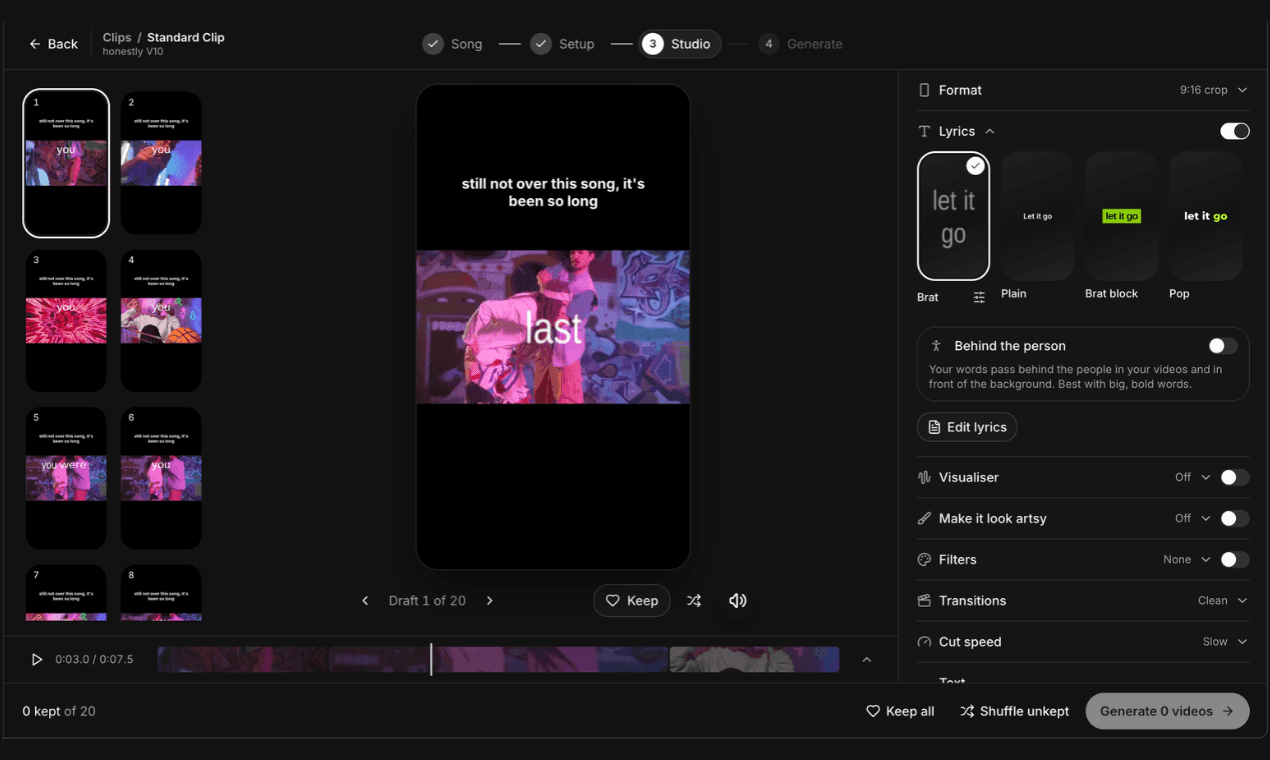
In short: Clips turns one song into a month of short-form content. It cuts your footage, free stock footage or music visualisers to the beat, puts your lyrics and a hook on screen, and makes up to 30 different drafts at once. Keep the ones you like, tweak them, and schedule them with a caption and hashtags ready to copy.
- 30drafts at once
- 20music visualisers
- 4formats incl. Spotify Canvas
How do I make TikToks and Reels for my song?
Most artists know they should post every day around a release, but filming and editing a new video each time is what burns them out. Clips does the editing in bulk: one song, one sitting, a month of videos.
- 1
Set up
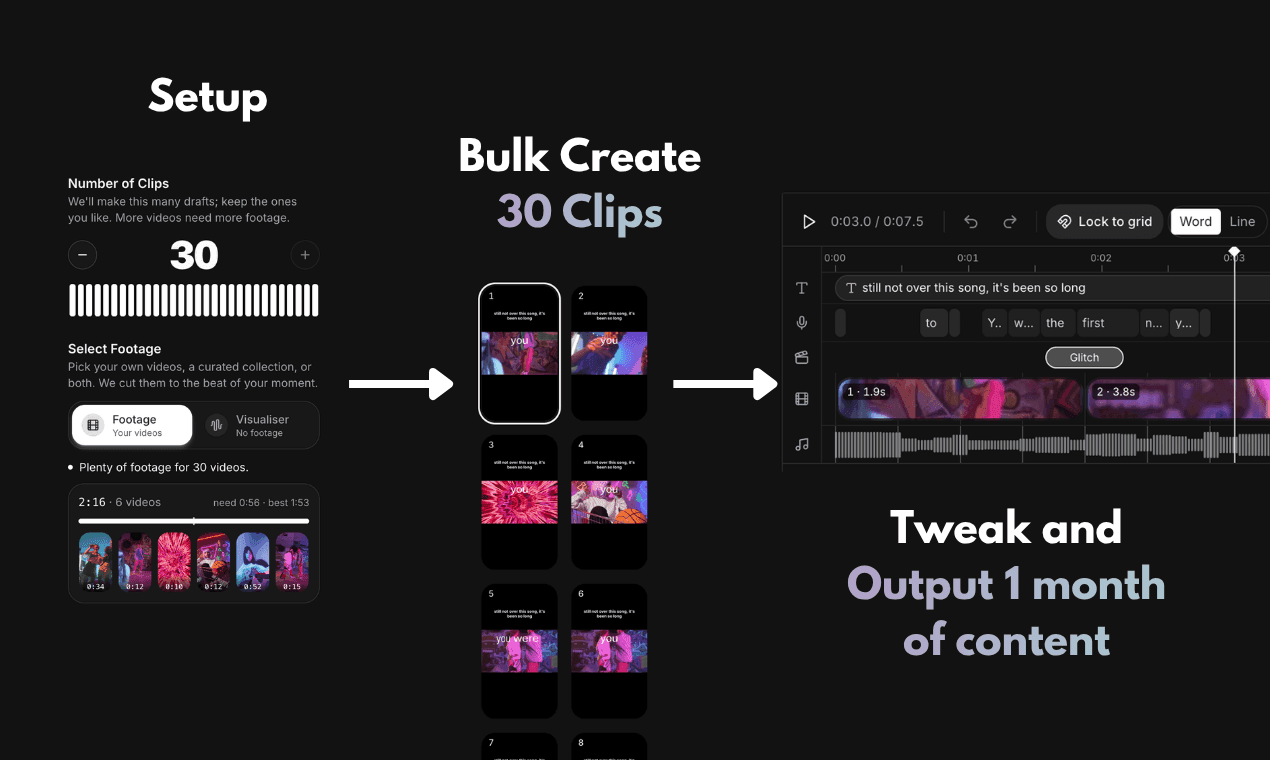
Upload your song, paste the lyrics and pick the moment. Choose how many videos you want and the footage to use: your own videos, free stock footage, or none at all.
- 2
Bulk create
Clips builds up to 30 different drafts at once, each cut to the beat of your moment with your lyrics on screen. Keep the ones you like and shuffle the rest.
- 3
Tweak and output
Change the style, hooks, filters and transitions, fine tune the lyric timing on the timeline, then make the videos you kept. They render in HD and are ready to download.
Cut to the beat, built to loop
The moment you pick snaps to whole bars of your song, so every video loops cleanly. Cuts land on the beat, at the speed you choose.
Lyrics and hooks that stop the scroll
Your lyrics appear in time, in styles like Brat, Plain and Pop. Add a text hook from the library, write your own, or let Magic Hooks write them from your lyrics.
Spotify Canvas and a posting plan
Make looping Spotify Canvases from your cover art, then schedule your videos. You get a reminder with a caption and 3 hashtags ready to copy. We never post for you.
Make every video look like you
In the Studio you see every draft side by side. Pick a lyric style, add a visualiser, filters or “Make it look artsy” effects, choose your transitions and cut speed, then keep the drafts you like and generate them in one go.
Can I promote my music without filming myself?
Yes. Here are real worries from musicians, and how Clips helps with each.
“I hate being on camera, how can I make TikToks for my song?”
Use stock footage, footage you already have, or no footage at all with one of 20 music visualisers that react to your song. Your lyrics and a hook carry the video, so you never need to film yourself.
“I'm burnt out trying to post every day for a release.”
Make a month of videos for one song in one sitting. Every video is different, and the scheduler reminds you when to post, so you're not editing a new one every night.
“I don't know how to edit, and the apps take hours.”
Clips does the editing for you: cuts on the beat, timed lyrics, transitions and formats for TikTok, Reels and Shorts. You choose the look and keep the drafts you like.
Looking for ideas before you make them? See what’s working for other artists in Inspo.